ECDIS: route planning and the route check
Check a route left unchecked, re-plan it along the channel, set XTD and turn radii, check again and monitor it.
- Phase 1: The bridge, one piece of equipment at a time
- 7 steps on the bridge
- 3 oral questions
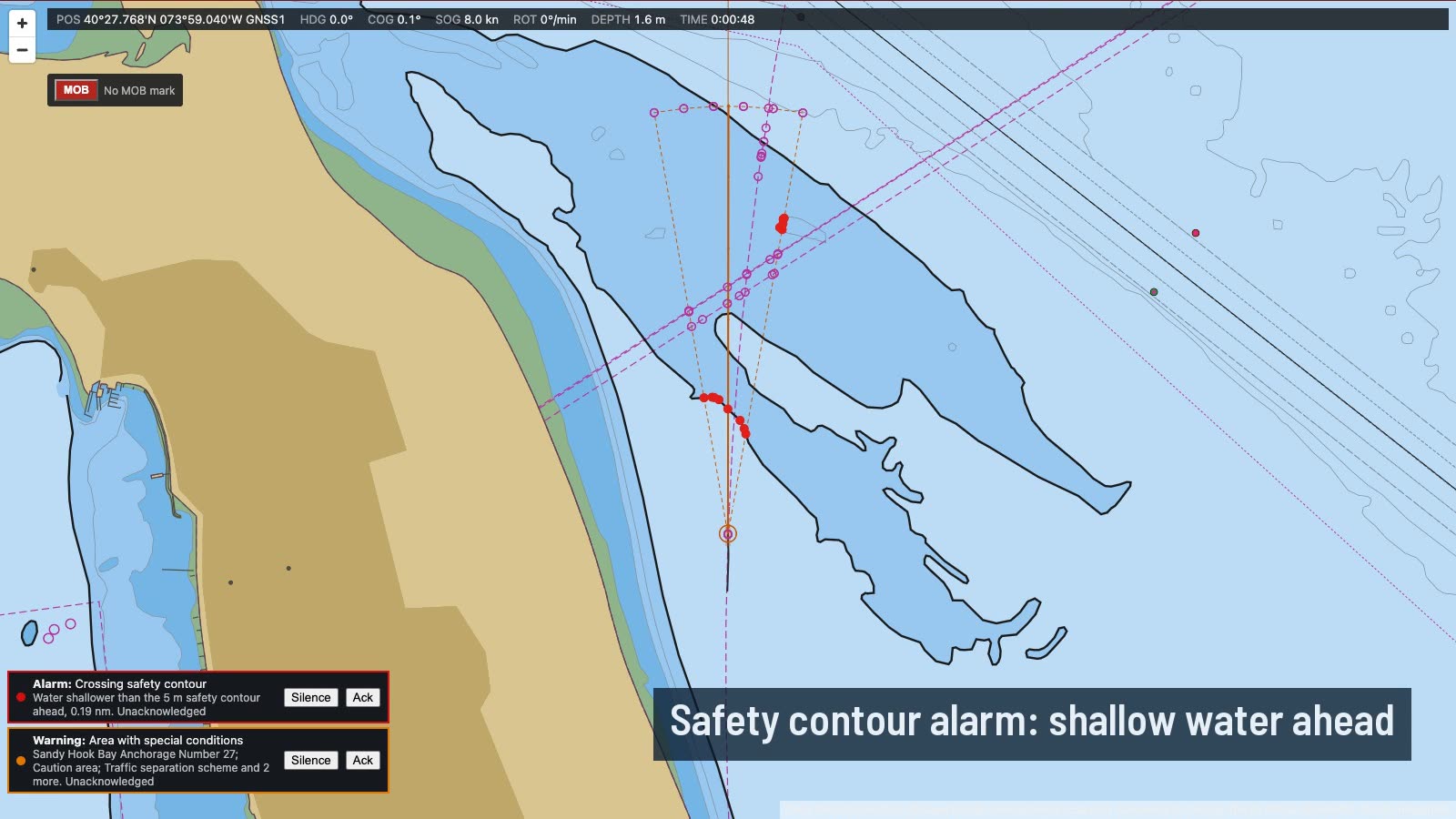
What you do on the bridge
- Check it as you found it
- Re-plan along the channel
- Cross-track limits and turn radii
- Check it again
- Read and acknowledge the rest
- Monitor the route
- Under way on the route
The oral questions, and what a good answer covers
The key points are in our own words. In the course, these questions come once you have done the job.
What does the ECDIS route check look for, and what are its limits?Often asked
A good answer covers:
- Each leg with its cross-track corridor is checked against the safety contour, isolated dangers and the area categories you have chosen
- Results must be read one by one, and the route changed where it is unsafe, not just acknowledged
- It only knows the chart data and your settings: a wrong safety contour gives a wrong answer
- A visual check of every leg on a large scale is still needed
Show me on the bridgeA route left unchecked in route planning. Check it and read the results.
How do you choose the cross-track limits and turn radii for a route?Often asked
A good answer covers:
- XTD from the safe water each side of the track: narrow in a channel, wider in open water
- Wide enough for normal yaw and set, so the alarm means something
- Turn radius from the ship's turning ability at the planned speed and the room in the turn
- Wheel-over points follow from the radius; check them on the chart and with parallel index lines
- The route check sweeps the whole corridor, so a wide XTD can bring in dangers a narrow one would not
Once the route is being monitored, what do you watch for?
A good answer covers:
- Cross-track error and the off-track alarm; correct early for set
- Approach to waypoints, wheel-over and critical points
- The anti-grounding and area alarms from the look-ahead
- Cross-check the position by radar and visual means; do not trust GNSS alone
- Keep track control and heading mode clear in your mind, and know how to take hand steering
How the lesson runs
The tutor's narration from the lesson, step by step. On the bridge, each control lights up as it is named.
Brief
There's a route to the Narrows in route planning, left by another officer. It's never been checked. Before we use it, we check it.
We'll run the route check, read what it finds, re-plan where it's unsafe, set the cross-track limits and turn radii, check it again, and then monitor it under way.
Check it as you found it
Open the Route tab and press Check route. Then read every result. Look for the one that matters most: a crossing of our safety contour.
Re-plan along the channel
That straight line runs right over the shoals of the Lower Bay. Re-plan it up the dredged channel: in past the Ambrose buoy, along the channel to the turn, and up to the Narrows.
Delete the old route or edit it, and add the waypoints on the chart. Keep to the starboard side of the channel, as we would sailing it.
Cross-track limits and turn radii
In a channel, set a tight cross-track limit, about a tenth of a mile each side, so the alarm warns us before we reach the edge. Give each turn a radius the yacht can make, about three tenths of a mile.
Check it again
Every change to a route means checking it again. Press Check route. This time there should be no safety contour crossing or danger in any corridor.
Read and acknowledge the rest
The route still passes through areas the ECDIS warns about: the traffic scheme, the anchorages, a caution area. Read each one, and think whether it changes the plan. Then acknowledge them.
Monitor the route
Now press Monitor this route. The ECDIS will measure our cross-track error, warn of wheel-over points and keep the look-ahead running.
Under way on the route
Put her on the first leg's course on the autopilot and go ahead slow. Watch the cross-track error and keep it well inside the limit.
Do it, then explain it.
Read the answers here for free. With a pass you work this lesson on the bridge, then practise its questions and mark your answers.