The bridge controls: steering, engines, whistle, VHF, alerts, deck log and VDR
Use the controls every later lesson relies on: hand steering and autopilot, the telegraph, the whistle, the VHF, the central alert panel, the deck log and the VDR.
- Phase 1: The bridge, one piece of equipment at a time
- 8 steps on the bridge
- 4 oral questions
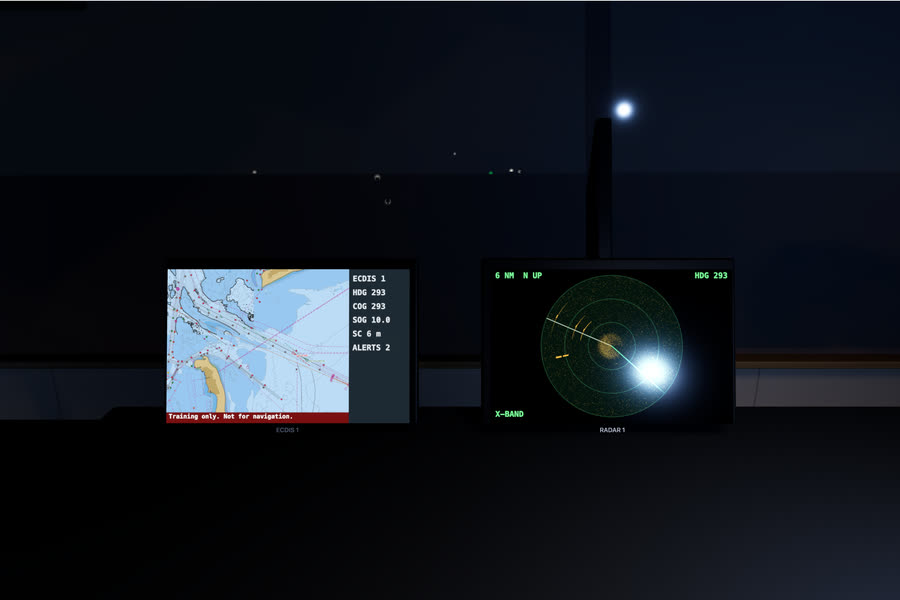
What you do on the bridge
- Hand steering
- Back to the autopilot
- The engine telegraph
- The whistle
- The VHF
- The central alert panel
- The weather and the deck log
- The VDR and the backup ECDIS
The oral questions, and what a good answer covers
The key points are in our own words. In the course, these questions come once you have done the job.
How do you change over from autopilot to hand steering, and when would you?Often asked
A good answer covers:
- In traffic, in restricted visibility, in narrow waters, or whenever the master orders, and with time to spare
- Have the helmsman at the wheel first, then select hand steering and give a course to steer
- Check the helmsman is steering well and the rudder indicator follows the wheel
- Changing back: line up on the course, set the autopilot heading, then select autopilot and watch it hold
- Test the hand steering after a long spell on the autopilot, and before entering waters that need special caution (SOLAS V/24)
Show me on the bridgeThe helm station: the wheel, the NFU tiller and the steering mode selector.
What are the priorities of bridge alerts, and what is the difference between silencing and acknowledging?Often asked
A good answer covers:
- Emergency alarm, alarm, warning and caution, in falling order of urgency
- An alarm needs immediate attention and action; a warning needs attention, and becomes an alarm if left; a caution is for awareness only
- Silencing stops the sound for a short time but leaves the alert active and unacknowledged
- Acknowledging means you have seen it and taken responsibility; it should be done where the problem can be dealt with
What does the VDR record, and what do you do with it after an incident?
A good answer covers:
- Position, speed, heading, bridge audio, VHF, radar and ECDIS pictures, alarms, echo sounder, engine and rudder orders and responses, among others
- It keeps a rolling record, so after an incident press Save at once so the record is not overwritten
- Tell the master, and do not switch it off or tamper with it
- It is checked by an annual performance test
What goes in the deck log, and why does it matter?
A good answer covers:
- Courses, speeds and positions, the weather, alterations and the reasons for them, and anything unusual
- Equipment failures and tests, drills, and calls to the master
- It is a legal record: written at the time, in ink, never erased, mistakes struck through and initialled
- It may be evidence after an incident, so enter facts, not opinions
How the lesson runs
The tutor's narration from the lesson, step by step. On the bridge, each control lights up as it is named.
Brief
We're heading east at eight knots on autopilot, in open water with nothing close. This is a good time to learn the controls you will use on every watch.
We'll take the wheel, put her back on autopilot, use the telegraph, the whistle and the VHF, deal with an alarm, write up the deck log, and find the voyage data recorder and the backup ECDIS.
Hand steering
Go to the helm, key one. Here are the wheel, the non-follow-up tiller, and the steering mode selector. Open the autopilot and select hand steering.
Now the ship goes where the wheel puts her. Use small amounts of wheel, and watch the rudder indicator and the rate of turn, not just the compass.
Back to the autopilot
Steady her on about the course, then select Heading. The autopilot takes the heading she is on as you engage it, so she does not swing off. Then set the heading to zero nine five, and watch her come round.
The engine telegraph
The engine telegraph is on the ECDIS Ship tab, and there are levers at the helm too. Bring her down to about six knots. Watch the speed fall off: a ship takes time to answer.
The whistle
The whistle control is at the helm. Give one short blast, about one second. You will use it for manoeuvring signals, and in fog for the sound signals the rules require.
The VHF
The VHF with DSC is at the console, key two. Keep a watch on channel sixteen at all times. Here, select channel thirteen for bridge to bridge calls, and switch on dual watch so sixteen is still heard.
The central alert panel
Alerts from the bridge equipment all come to the central alert panel at the helm. Alarms are red and need action now, warnings are yellow, and cautions are for information.
The standby gyro has failed. Silencing only stops the noise for a while; acknowledge it, which says you have seen it and taken it on. Gyro one is still steering us.
The weather and the deck log
Every entry in the deck log carries the weather, so read the instruments: the wind display at the helm, and the barometer and thermometer at the back of the bridge, key eight.
Open the deck log at the helm and make an entry: the weather, and in the remarks, the time gyro two failed. Write facts, as they happen.
The VDR and the backup ECDIS
At the back of the bridge is the voyage data recorder. It records the bridge audio, the radio, the radar and chart pictures and the ship's data. After any incident, press Save so the record is kept.
Then go to the port console, key three, and open the second ECDIS. It is the backup: if the main one fails, the passage goes on here.
Do it, then explain it.
Read the answers here for free. With a pass you work this lesson on the bridge, then practise its questions and mark your answers.